Capture your audio.
Sculpt it segment by segment.
Fine-detail EQ, gain and timing on every segment of a capture — set one segment as the reference and correct the rest toward it, or shape each one by hand.
Balanced baseline for vocals · Dialogue for film · Relieves the need for automation
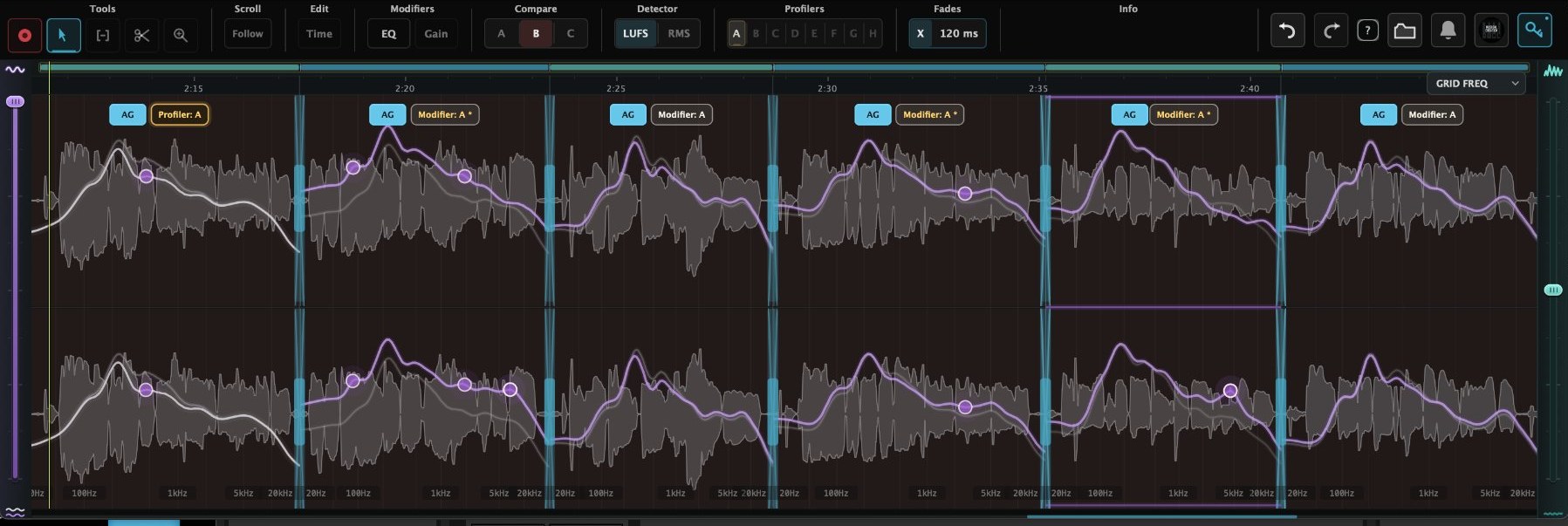
EQ mode — 5-Vocal Demo Lead Takes
Capture once. Then match every segment to a reference — EQ and gain — in seconds.
A ready-to-work baseline in three moves, without drawing a single automation curve.
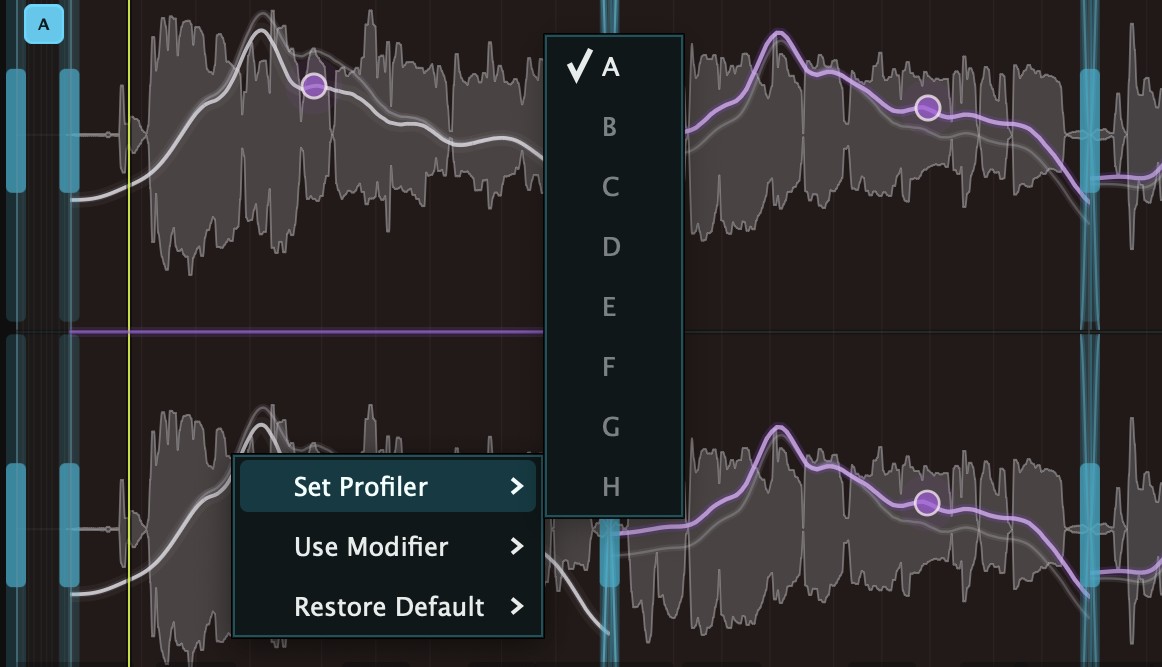
Choose a profiler
Right-click the segment whose character you favour and set it as the reference — tone and dynamic level both.
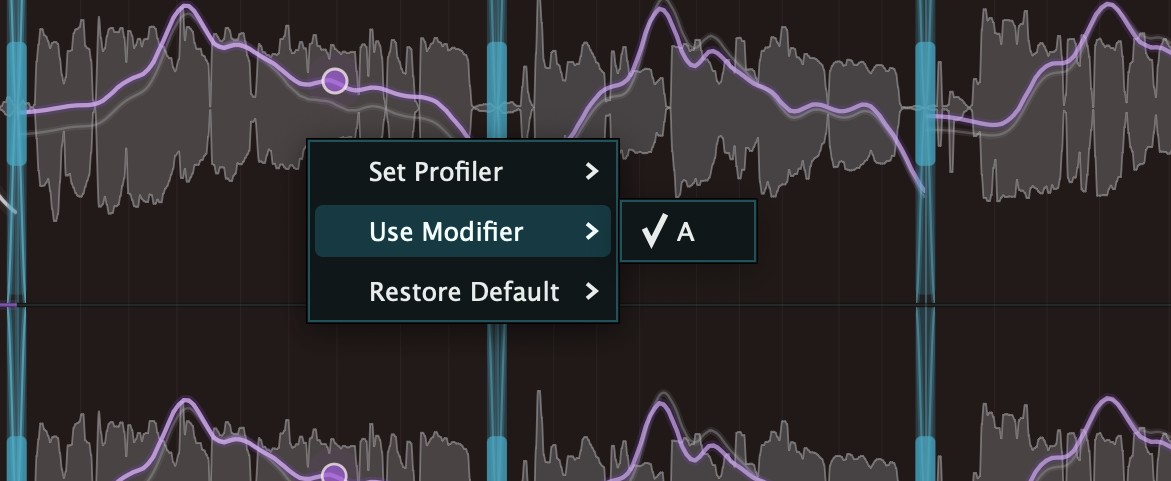
Assign modifiers
Bind the segments you want corrected toward it. Eight profiler slots means eight references in one capture.
Match EQ and gain
One slider per mode brings tone and level toward the profiler. Change the profiler and everything bound to it follows instantly.
Any segment can still be shaped by hand, at any point. Draw its curve, place gain nodes, or double-click to subdivide an auto segment and isolate a single moment inside it — no automation lanes for EQ or gain.
Level matched to dynamic character
Conventional levelling flattens a performance — it ignores intentional silence and the shape of a delivery. This follows dynamic character instead, and only touches segments you've modified.
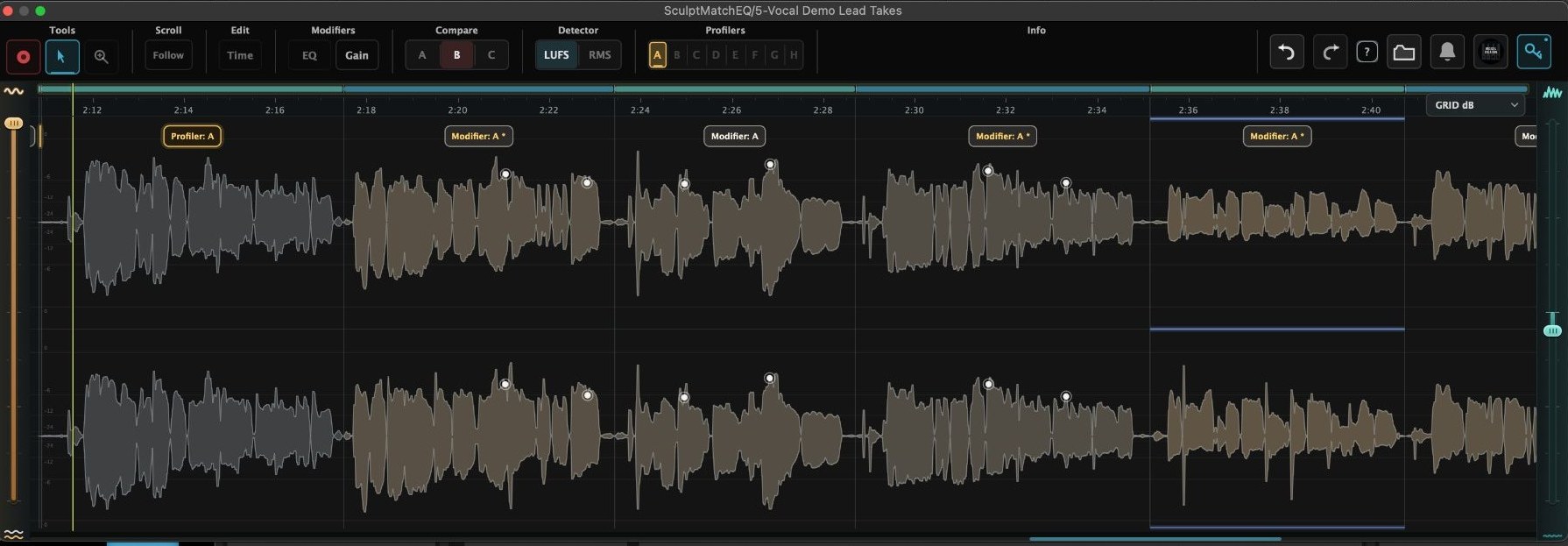
Gain mode — colour shows how much each segment was adjusted
Timing and cleanup for the capture
Split, move, trim and fade. Nothing is corrected here — no matching, no tint, no profiler. Time mode is manual work in service of the capture, which is why it comes last.
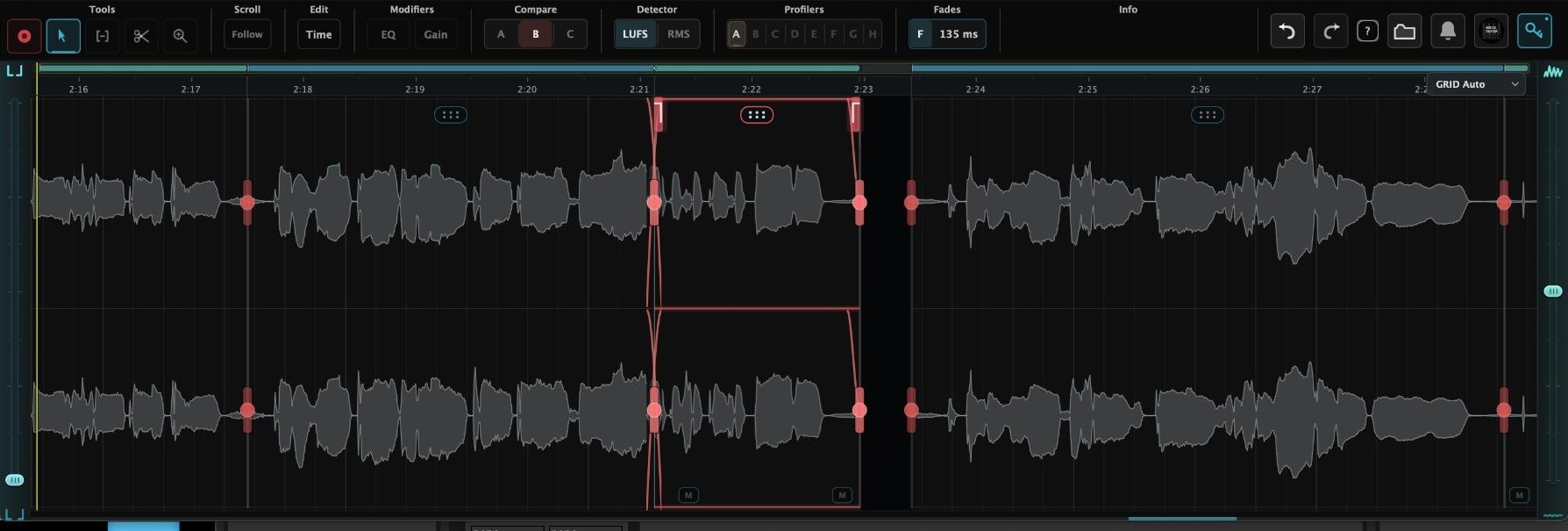
Time mode — a moved segment with fades, boundary handles and mute
Good to know
The behaviours you can’t see in a screenshot.

- Compare A / B / C.
Astays the untouched original, timing included. Your first adjustment puts you inB;Ccopies B. - Colour shows how much was adjusted. Segments shade by the correction applied; the profiler stays neutral.
- Double-click to subdivide. Split an auto segment to isolate a moment inside it — a single harsh word in a phrase.
- Auto Gain.
AGholds level while the tonal baseline shifts — no drop after a subtractive move. - Stereo. Both sides move together; hold
Altfor one side. - Formats. AU, AAX and VST3 on macOS; VST3 on Windows. Regular capture — no ARA.
$79 until Black Friday
Regularly $125. AU, AAX and VST3 on macOS; VST3 on Windows.